Very excited to launch my latest WordPress plugin, REST Pro Tools. This is the premium/pro version of the free plugin hosted at WordPress.org, Disable WP REST API. The free version is very basic and does exactly what it says: disables the WP REST API, no options just activate and done. But some users wanted more features, like denying access to specific routes while allowing others. So I packed the pro version with all of the REST API tools most requested […] Continue reading »
Simple Download Counter (SDC) version 2.3 features a very basic API that returns the number of times a specified file has been downloaded. For lack of a better name, I call it the “Micro API”. This tutorial explains how it works, and provides a real-world example showing how to use it. Continue reading »

For those who know, YOURLS makes it super easy to host your own URL shortening service. I use Yourls on several sites and it works great at generating shortlinks for otherwise long and tedious URLs. So they’re easier to share, remember, social media, etc. Yourls is developed by a well-respected developer and is 100% FREE and open source for everyone. It’s a truly great app and highly recommended. Continue reading »
My free WordPress plugin, Blackhole for Bad Bots, and the pro version, Blackhole Pro are not compatible with cache plugins. This is stated on the plugin home page, installation page, support page, readme.txt, documentation, plugin settings page, help tab, and just about every other possible location. Continue reading »

So yesterday I got a new phone and could not log in to my account at WordPress.org. Why? Because I had enabled Two-factor authentication (2FA) on my account as an extra layer of security. I had been completing this 2FA step on my old phone using the Google Authenticator app, which works great. The problem is that I had not yet transferred my Authenticator codes to my new phone. So when I tried to log in to my WordPress.org account, […] Continue reading »
Was thinking of the things that are absolutely essential for my line of work, at least for my own operation working with WordPress and web development. Not so much the technical and code side of things, but more of the “meta” or “big picture” type of stuff. Some are simple and others require a bit of explanation. Some are specific to working on the Web, and some probably would apply to any line of work. But I am a web […] Continue reading »
Super pumped to finally launch Head Meta Pro! This is the premium/pro version of the free plugin hosted at WordPress.org, Head Meta Data. While the free version is great and serves many sites, there are more features that I wanted to add, like complete support for all the different page-views generated by WordPress. So with the free version, you can define one set of meta tags for the entire site. With the pro version, you can define unique sets of […] Continue reading »
Quick tip for my free WordPress plugin, Simple Download Counter. SDC is optimized for successful downloads in most server environments, but there always is an exception to the rule. For example, on some servers, a download’s content-length header may be calculated incorrectly for GZIP and possibly other file formats. This tutorial explains how to define your own headers for downloads when using Simple Download Counter, so you can dial in perfect downloads for any server configuration. Continue reading »

As a full-time web developer and typical human being, I rely on the Internet for a great many things. So when the Internet is not available, my work (and play) comes to a grinding halt. Fortunately my primary ISP is pretty solid, but it still goes down every once in a while. So to maintain my workflow (and general sanity), having a backup Internet service provider is absolutely essential. Here’s one way to do it.. Continue reading »
This is a quick post following from the latest redesign of my WordPress plugins website, Plugin Planet. There, I make use of WordPress great query functionality to display archives of multiple categories. For example, here is the combined archive for BBQ Pro and Docs. So that category archive displays all documentation posts for BBQ Pro. Likewise for other categories, for example here is the combined archive for Banhammer Pro and Tutorials. That category archive displays all tutorial posts for Banhammer […] Continue reading »

BBQ Firewall is built to be powerful, lightweight, fast and flexible. It’s code base is kept super lean, leaving extra functionality out of core while supporting new features via simple addons. For example, this tutorial shows how to use an addon to display the total number of blocked HTTP requests on the plugin settings page. This can help you get a basic idea of the plugin’s effectiveness. Continue reading »
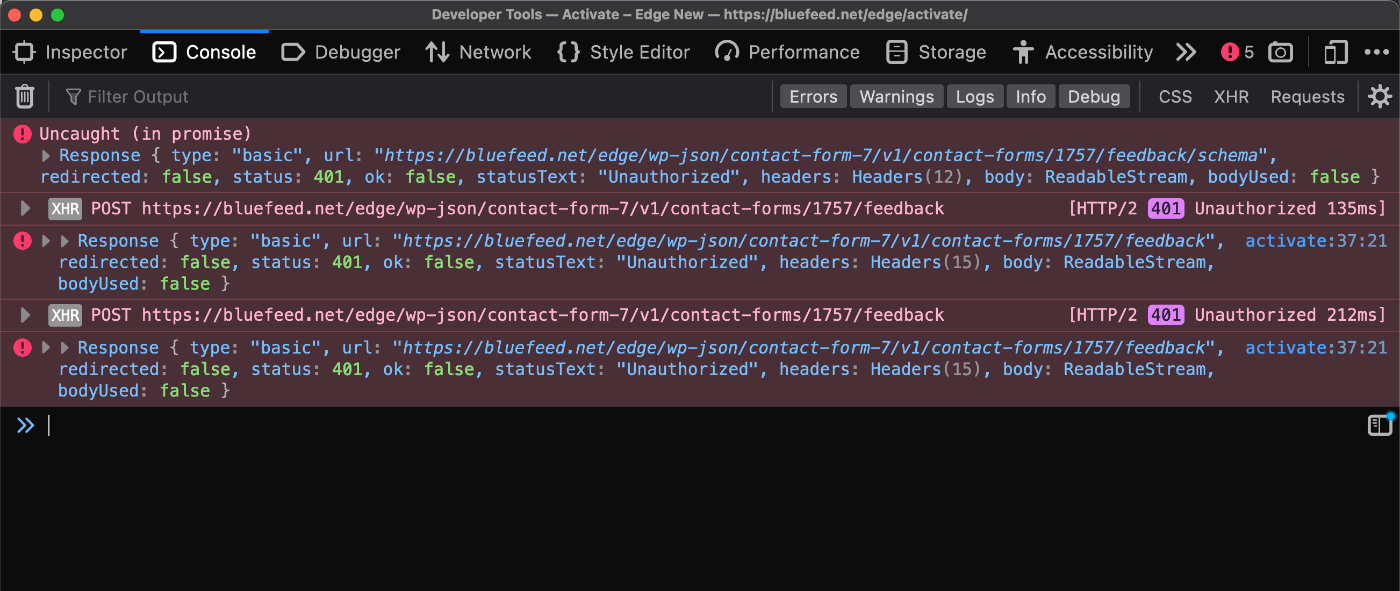
My free WordPress plugin, Disable WP REST API, disables the REST API for all users who are not logged in to WordPress. So if you’re using a plugin such as Contact Form 7 that requires the REST API, it’s not going to work if Disable WP REST API is active on site. But there is a way to make it work. This quick tutorial explains how to set it up in two steps. Continue reading »
I use domain-based emails for 99% of my email activity. The other 1% is comprised of assorted 3rd-party email services and temporary slash disposable addresses (like for testing purposes and one-off sign-ups, etc.). I can tell you whole-heartedly based on 20+ years working online that self-hosted email is THE WAY to go. Continue reading »
In WordPress themes and plugins, the Loop is used to display posts on the front end. Typically the Loop displays either a single post (like when you’re viewing a blog post), or multiple posts (like when you’re viewing a category archive). Things get more tricky however, when you want to display posts on a page. Continue reading »

Like many of you, I have been working online for years now, more than most. Over the course of the past 20 years, I have created accounts at hundreds and hundreds of websites. That includes all the work-related stuff, like web development, plus LOTS of social media sites, online services for everything from email to security monitoring. Not to mention all of the accounts created for mundane things like banking, utilities, Internet and phone service, and so forth. Continue reading »

Your website’s robots.txt file probably contains some rules that tell compliant search engines and other bots which pages they can visit, and which are not allowed, etc. In most of the robots.txt files that I’ve looked at, all of the Allow and Disallow rules are applied to all user agents. This is done with the wildcard operator, which is written as an asterisk *, like this: User-agent: * This site’s robots.txt file provides a typical example. All of the allow/disallow […] Continue reading »

 Perishable Press is operated by Jeff Starr, a professional web developer and book author with two decades of experience.
Here you will find posts about web development, WordPress, security, and
Perishable Press is operated by Jeff Starr, a professional web developer and book author with two decades of experience.
Here you will find posts about web development, WordPress, security, and