Watch Cyber Attacks Online
![[ Watch Cyber Attacks Online ]](https://perishablepress.com/wp/wp-content/images/2017/cyber-threat-map.jpg)
Taking a quick break to watch cyber attacks happening in real time. Continue reading »

Taking a quick break to watch cyber attacks happening in real time. Continue reading »
![[ Display bbPress Posts without a Plugin ]](https://perishablepress.com/wp/wp-content/images/2017/wordpress-bbpress.jpg)
I recently redesigned my .htaccess site, htaccessbook.com. Before the redesign, I was using bbPress for the forum functionality. It worked okay for a few years, but along the way there were all sorts of really nasty bugs and important things breaking. It seemed like, no matter what, each updated version of the bbPress plugin caused serious problems, like replies not working, permalinks changing, and all sorts of other issues. Eventually, I got tired of spending hours after each bbPress update […] Continue reading »
![[ WordPress .htaccess file ]](https://perishablepress.com/wp/wp-content/images/2017/wordpress-htaccess.jpg)
The WordPress core uses .htaccess for two things: Permalinks and Multisite. This means that .htaccess is only required if you have enabled either of these features. Otherwise, .htaccess is entirely optional for default WordPress installations. Beyond the WP core, many plugins also use the .htaccess file for custom directives involving rewrites, redirects, custom headers, file compression, and much more. In many cases, such plugins add their .htaccess rules to your .htaccess file automatically, behind the scenes. Continue reading »
![[ Blackhole Pro ]](https://perishablepress.com/wp/wp-content/images/2017/blackhole-pro.jpg)
Announcing the Pro version of my WordPress security plugin, Blackhole for Bad Bots. Like the free version, Blackhole Pro protects your site against bad bots, spammers, scrapers, scanners, and other automated threats. This increases site security and saves precious server resources for your legit visitors. It’s time to say “bye bye” to bad bots. Continue reading »
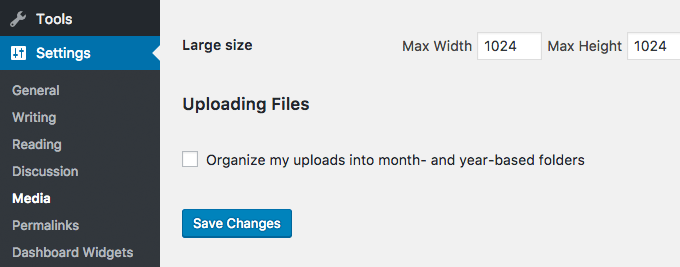
In this tutorial, I’m going to walk you through how you can add a new menu in WordPress Admin Area, where your users will be able to import any demo content — including widgets, their positions and navigation as well — by a single click. The code follows the best WordPress practices, uses WP Filesystem for file management, includes escaping and all text strings are prepared for translation. It also passes the WordPress theme check plugin! Continue reading »
![[ Prismatic ]](https://perishablepress.com/wp/wp-content/images/2016/prismatic.png)
I’ve been using other plugins to display my code at Perishable Press, Plugin Planet, DigWP, and WP-Mix for years now. The other plugins have done the job, but there are things that I’ve always wanted to change. For example, syntax highlighting. I use syntax highlighting for code snippets at WP-Mix, but not on any of my other sites. So I wanted to combine clean, time-tested code escaping with stylish syntax highlighting. After sharing well over 1,000 code snippets online, I […] Continue reading »
![[ Perishable Press : Stop WordPress from modifying .htaccess ]](https://perishablepress.com/wp/wp-content/images/2019/wordpress-htaccess.jpg)
By default, depending on file permissions, WordPress automatically will modify the contents of your site’s .htaccess file. It does this on several occasions, adding and/or updating the rewrite rules required for WP’s permalink functionality. This post explains how this works, why it can be dangerous, and how to stop it from happening. Continue reading »
![[ Theme Switcha ]](https://perishablepress.com/wp/wp-content/images/2016/theme-switcha.jpg)
Announcing my latest WordPress plugin, Theme Switcha! There are many theme-switch plugins but none of them provide the simplicity, performance, and reliability that I require for my own sites. So I wrote my own plugin using the WP API and kept the code as focused and solid as possible. Only essential theme-switching features have been added, along with a simple yet informative UI. Theme Switcha gives you a consistent, quality theme-switching experience that you can optionally share with your visitors. Continue reading »
![[ WordPress: Developing Secure WordPress Sites ]](https://perishablepress.com/wp/wp-content/images/2016/secure-wordpress-sites.png)
After months of preparation and production, my new video course on developing secure WordPress sites is now available at Lynda.com. This is my second video course on securing WordPress; the first one was originally launched in 2011 and remained in Lynda’s library for over five years. I received a lot of great feedback on the course, and so I jumped on the opportunity to do another one. If there is one thing that I enjoy doing, it’s helping people with […] Continue reading »
![[User Enumeration ]](https://perishablepress.com/wp/wp-content/images/2016/user-enumeration.jpg)
This tutorial explains how to block user-enumeration scans in WordPress. As explained in greater depth here, user enumeration happens when some malicious script scans a WordPress site for user data by requesting numerical user IDs. For example, requests for author=1 through some number, say, author=1000, may reveal the usernames for all associated users. With a simple enumeration script, an attacker can scan your site and obtain a list of login names in a matter of seconds. Continue reading »
![[ Dashboard Widgets Suite ]](https://perishablepress.com/wp/wp-content/images/2016/dashboard-widgets-suite.jpg)
1 Plugin. 9 Widgets. Awesome Dashboard. Over the years, I’ve assembled a collection of Dashboard widgets that I use frequently on various sites. I find the WordPress Dashboard to be a convenient location for posting notes, viewing debug and error logs, and displaying social media icons, RSS feeds, and other useful information. I find these widgets essential, but I was spending way too much time installing and managing them on all of my sites. Continue reading »
![[ RSSing.com Removal Request or Whatever ]](https://perishablepress.com/wp/wp-content/images/2016/rssing-com.jpg)
This quick post explains how to stop the notorious site scrapers, RSSing.com, from stealing your content. In fact, this technique can be used to stop virtually any site that uses HTML frames to scrape your pages. Once again, the solution is one line of .htaccess to the rescue. Continue reading »
 Perishable Press is operated by Jeff Starr, a professional web developer and book author with two decades of experience.
Here you will find posts about web development, WordPress, security, and more »
Perishable Press is operated by Jeff Starr, a professional web developer and book author with two decades of experience.
Here you will find posts about web development, WordPress, security, and more »