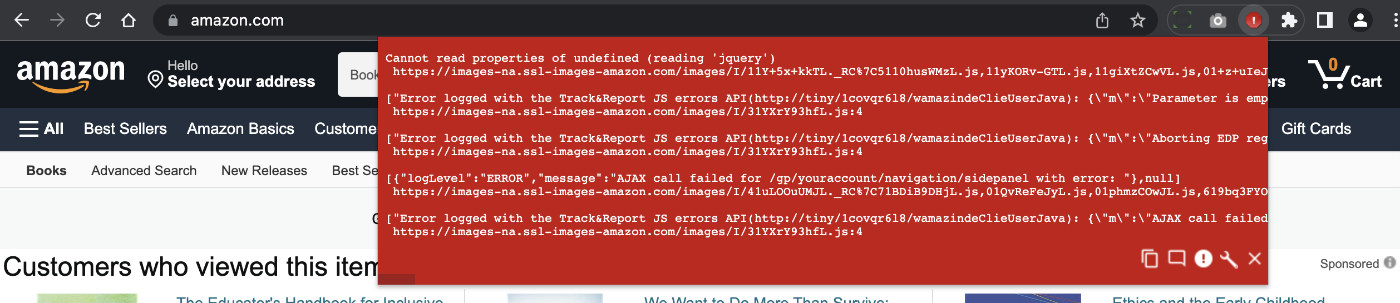
Heads up about the JavaScript Errors Notifier extension for Google Chrome. Looks like it was removed from the Chrome store sometime last year. Not sure of the reason behind it, but can tell you that currently there are no suitable extensions to replace it. Kinda sucks because JavaScript Errors Notifier was one of my favorite “always on” extensions. It makes it easy to spot any JavaScript errors as you develop, design, or browse the Web. Fortunately there’s still a way […] Continue reading »

I’ve tried 1Password and Dashlane, and several other popular password managers for both Mac and PC. It always seems to be the same thing: things start off great and then go downhill from there. For example, I was loving 1Password, and then it locked me out of my password file/account. Likewise for a couple of years Dashlane was great, but then they started making drastic changes like moving from standalone app to browser extension Web-based UI. The confusion involved with […] Continue reading »
There are numerous ways to redirect requests using Apache’s mod_rewrite and mod_alias. This concise, friendly tutorial explains different ways to redirect a range of IP addresses, either IPv4 or IPv6. Continue reading »
Working on the redesign of Plugin Planet, I needed a way to toggle between two divs based on which radio input is selected. This is useful for showing option-specific information conditionally, depending on the current active radio select field. This tutorial shows how to achieve it using vanilla JavaScript, so there is no need for including an entire library like jQuery. Very simple technique, requiring minimal amount of HTML markup and vanilla JavaScript. Continue reading »
Let’s say you have some .htaccess rewrite rules in place using Apache’s mod_rewrite. By default if the rewrite rules are located in the root directory, they will be applied to every subdirectory, as expected. But what if you need to disable the rewrite rules so that they do not affect some specific sub-directory or sub-folder? This super quick tutorial shows the easiest way to do it. Continue reading »

Have you ever wanted to make a WordPress site private? So that only specific users are allowed access? For example, for my found-images site eChunks.com, I decided to require user login in order to access any content. So now for that site, public access is not allowed, and any posts, images, and all other content is available only to logged-in users. This tutorial explains four ways to make a WordPress site private or members only, so that only authenticated/trusted users […] Continue reading »
Here is a quick CSS tutorial showing how to center-align a list element with left-aligned text. For example, if you have an <ul></ul> or <ol></ol> of unknown width, and you want it to stay centered on the page and keep the inner text aligned to the left. That’s the trick we’re looking at in this tutorial. Continue reading »
It is debatable whether or not Chrome’s new scrolltotextfragment feature is a significant security concern. When in doubt, play it safe. This quick post explains how to disable (or enable) Chrome’s scroll-to-text-fragment functionality. Continue reading »
![[ POST Requests ]](https://perishablepress.com/wp/wp-content/images/2019/wordpress-post-requests.jpg)
I’ve written before about protecting against malicious POST requests using Apache/.htaccess. In this tutorial, we’ll look at how to modify GET and POST requests using PHP and some core WordPress functionality (with no .htaccess required). Normally you would want to manipulate URI requests at the server level, but that’s not always possible (like on shared hosting). So in those cases where you want to modify GET, POST, or other types of requests on a WordPress site, check out the following […] Continue reading »
![[ Scooby Doo Intro ]](https://perishablepress.com/wp/wp-content/images/2019/css-mystery-invisible-selection.jpg)
Recently I noticed a weird bug in my free WordPress security plugin, Banhammer. For some reason, I could not select any text on the page. Usually when you click and move the mouse cursor over some text, it becomes highlighted and displayed in some other color. But this wasn’t happening on the Banhammer settings screen. No matter which HTML/text I tried to select, it just wasn’t working. T’was a real mystery.. Continue reading »
![[ Prevent WordPress Automatic .htaccess Modifications ]](https://perishablepress.com/wp/wp-content/images/2016/wordpress-htaccess.jpg)
In a recent tutorial, I explain how to Stop WordPress from modifying .htaccess. That post explains several ways to prevent WordPress from making changes to .htaccess. This post explains an even better way that is safe, effective, non-invasive, re-usable, and super simple. I’ve been using it on my own sites now for a few years and it works flawlessly. Continue reading »
![[ Monitor WordPress Login Page ]](https://perishablepress.com/wp/wp-content/images/2019/monitor-wordpress-login-page.jpg)
There are all sorts of plugins that you can use to monitor and protect the WordPress Login Page. That’s not what this post is about. This post is aimed at developers and DIY site admins, who like to keep a close eye on site activity. Talking hands-on with code. How familiar are you with the traffic hitting your WP Login Page? Do you know the difference between a brute-force attack and legitimate login requests? The WP Login Page (wp-login.php) is […] Continue reading »
Finally put together a giant list of .htaccess redirect examples. It’s meant as a quick copy-&-paste resource for those who may be looking for an assortment of redirect techniques. Here you will find redirects via mod_alias and mod_rewrite. Examples include redirecting to and from any directory, subdirectory, resource, URL, and much more. Most of these examples are taken from my previous article, Stupid htaccess Tricks; other examples are taken from previous .htaccess tutorials here at Perishable Press. Enjoy! :) Continue reading »
WordPress provides the wp_headers filter hook and send_headers action hook to add and modify HTTP requests. For front-end pages, these are ideal hooks that should be used whenever possible. Unfortunately however neither hook works on all pages in the WordPress Admin Area. After some experimentation, I found an easy solution to modify HTTP headers on any/all pages in the Admin Area. Continue reading »
While working on the site’s 24th redesign, my goal was to simplify the UI as much as possible. As much as I enjoy lots of cool effects, I wanted the new design to be as minimalist as possible. So that meant dropping a LOT of little bells and whistles that were included in the previous design. One feature that didn’t make the cut was smooth scrolling to internal anchor targets. Like when you click a link that takes you #somewhere […] Continue reading »
While working on the site’s 24th redesign, I played around with a number of styles to customize the appearance of links. As you can see by hovering over any link, I decided to keep the styles as minimal as possible while still letting the user know that, “hey, this is a link”. This quick post shares one of the link styles I was considering, it’s sort of a “slide-up” background-color effect that happens when the user hovers over the hyperlink. Continue reading »

 Perishable Press is operated by Jeff Starr, a professional web developer and book author with two decades of experience.
Here you will find posts about web development, WordPress, security, and
Perishable Press is operated by Jeff Starr, a professional web developer and book author with two decades of experience.
Here you will find posts about web development, WordPress, security, and 