![[ Two Passwords = Two Bad ]](https://perishablepress.com/wp/wp-content/images/2016/he-man-two-bad.jpg "Two Bad")
Image courtesy of eChunks.com Here is a quick security tip for people using popular apps on the Web. That is, apps like WordPress that may be widely used and targeted by bad actors and/or automated scripts. It’s all about adding another layer of security by hardening admin-level usernames.. Every now and then, I get an email letting me know that someone has requested a password reset for one of my admin-level WordPress accounts. Usually, the email notifications are sent directly […] Continue reading »
I use s2member (free version) and s2member Pro on a few of my sites. Have been for several years now. Over the course of time, I have amassed a healthy collection of notes, code snippets and techniques for customizing default functionality, adding features, and so forth. Gonna post the collection online for the benefit of any others who may be seeking for similar modifications and/or related information. Continue reading »
![[ WP Plugin: Core Control ]](https://perishablepress.com/wp/wp-content/images/2014/core-control.gif)
Just a quick post with some tips for troubleshooting and testing HTTP requests. For example, if you have a plugin that sends requests behind the scenes via Ajax or cURL or whatever, it’s nice to have a way to view request details such as headers, the response, and everything in between. This article is aimed primarily at WordPress users, but contains more general tips and tricks as well. Continue reading »
![[ Optimizing WordPress Permalinks with htaccess ]](https://perishablepress.com/wp/wp-content/images/2011/htaccess-redirects.jpg)
Okay, so Summer’s over, kids are back in school, and I’m finding all sorts of free time to continue writing and posting. One of my Summer projects involved updating & optimizing one of my old project sites, DeadLetterArt.com. It was basically a huge clean-up session that included lots of content consolidation and permalink restructuring. So that’s the topic of this post, how to use htaccess to optimize WordPress permalinks. I’ll go through some htaccess techniques and explain how they can […] Continue reading »
![[ WP Cron HTTP Auth ]](https://perishablepress.com/wp/wp-content/images/2011/code-snippets-collection.jpg)
Please excuse this self-serving, miscellaneous post, but I’ve just got to purge all of these code snippets and scraps collected over the years. Whenever I update this site, I place any removed/unused code snippets into a giant note file for future reference, just in case. There’s all sorts of different types of code and snippets that just keep growing and growing and.. and finally it gets to a point where I just need to dump everything and start fresh. Welcome […] Continue reading »
![[ WordPress ]](https://perishablepress.com/wp/wp-content/images/2009/misc-chunks/wordpress-logo-blue.png)
One of the most popular articles here at Perishable Press is my January 2005 post, Stupid htaccess Tricks. In that article, I bring together an extensive collection of awesome copy-&-paste HTAccess code snippets. Four years later, people continue to tell me how much they enjoy and use the content as a bookmarked reference for many of their HTAccess needs. The article was even published in a book on Joomla! Security. This is very inspiring to me, so I have decided […] Continue reading »
![[ Twitter ]](https://perishablepress.com/wp/wp-content/images/2009/twitter-tricks/twitter-tricks_00.png)
Might as well face it, Twitter is here to stay. Not that it’s all that bad, just used to be a lot more laid-back and enjoyable. These days it seems to have been taken over by the lowest common-denominator, mostly high-school twits or useless commercial propaganda. Even so, I still enjoy tweeting the occasional profound thought once in awhile, and even like to play around with various types of “advanced” Twitter functionality. You know, cool stuff like including “Tweet This!” links […] Continue reading »
When developing the colorful Quintessential Theme (opens in new tab), I initially planned on displaying five random posts from each of my most popular tags and categories in the super-slick sliding-panel sidebar. Because I am running an older version of WordPress, however, this task proved to be quite the educational experience. In newer versions (from 2.5 I think) of WordPress, the query_posts() function enables users to display posts in random order using the orderby=rand parameter. This would have made my […] Continue reading »
Normally, when visitors post a comment to your site, specific types of client data are associated with the request. Commonly, a client will provide a user agent, a referrer, and a host header. When any of these variables is absent, there is good reason to suspect foul play. For example, virtually all browsers provide some sort of user-agent name to identify themselves. Conversely, malicious scripts directly posting spam and other payloads to your site frequently operate without specifying a user […] Continue reading »
When designing sites, it is often useful to identify different pages by adding an ID attribute to the <body></body> element. Commonly, the name of the page is used as the attribute value, for example: <body id="about"></body> In this case, “about” would be the body ID for the “About” page, which would be named something like “about.php”. Likewise, other pages would have unique IDs as well, for example: <body id="archive"> </body><body id="contact"> </body><body id="subscribe"> </body><body id="portfolio"></body> ..again, with each ID associated […] Continue reading »
![[ Screenshot: WP Default Database Error Page ]](https://perishablepress.com/wp/wp-content/images/2009/install-security/h4x0rd_03.gif "Error establishing a database connection")
The other day, my server crashed and Perishable Press was unable to connect to the MySQL database. Normally, when WordPress encounters a database error, it delivers a specific error message similar to the following: Continue reading »
Importing and displaying external RSS feeds on your site is a great way to share your online activity with your visitors. If you are active on Flickr, Delicious, Twitter, or Tumblr, your visitors will enjoy staying current with your updates. Many social media sites provide exclusive feeds for user-generated content that may be imported and displayed on virtually any web page. In this article, you will learn three ways to import and display feed content on your WordPress-powered website — […] Continue reading »
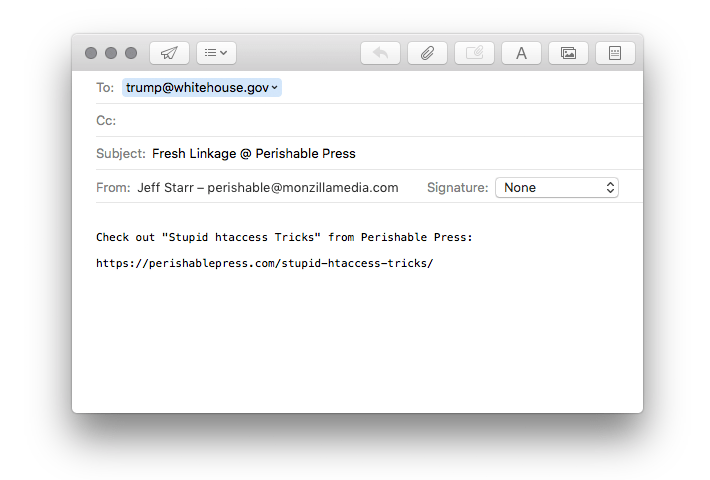
In addition to your choice collection of “Share This” links, you may also want to provide visitors with a link that enables them to quickly and easily send the URL permalink of any post to their friends via email. This is a great way to increase your readership and further your influence. Just copy & paste the following code into the desired location in your page template: <a href="mailto:?subject=Fresh%20Linkage%20@%20Perishable%20Press&body=Check%20out%20<?php the_permalink(); ?>%20from%20Perishable%20Press" title="Send a link to this post via email" rel="nofollow">Share […] Continue reading »
Canonical URLs are important for maintaining consistent linkage, reducing duplicate content issues, and increasing the overall integrity of your site. In addition to cleaning up trailing slashes and removing extraneous index.php and index.html strings, removing the www subdirectory prefix is an excellent way to shorten links and deliver consistent, canonical URLs. Of course, an optimal way of removing (or adding) the www prefix is accomplished via HTAccess canonicalization: Continue reading »
If, for whatever reason, you don’t want to use Feedburner to track your feed statistics, this article describes a relatively simple, “roll-your-own” alternative. Instead of redirecting your feed traffic through Feedburner, keep your original feed URLs and place the following code into a file named “feed_stats.php” (or whatever) and upload to your server: Continue reading »
![[ Magnetic Fields ]](https://perishablepress.com/wp/wp-content/images/2008/custom-fields/custom-fields.jpg)
As we have seen in our previous post, WordPress Custom Fields Part I, custom fields provide an excellent way to add flexible content to your posts and pages. By assigning various types of content to different custom fields, you gain complete control over when, where, and how to display the associated information. For example, sub-headings may be displayed in the sidebar, footnotes may be consolidated into a single region, post images may be displayed before the post title, and so […] Continue reading »

 Perishable Press is operated by Jeff Starr, a professional web developer and book author with two decades of experience.
Here you will find posts about web development, WordPress, security, and
Perishable Press is operated by Jeff Starr, a professional web developer and book author with two decades of experience.
Here you will find posts about web development, WordPress, security, and